Physical Address
304 North Cardinal St.
Dorchester Center, MA 02124
Physical Address
304 North Cardinal St.
Dorchester Center, MA 02124

If you follow modern AI, you have noticed a shift. The question in 2026 is no longer “How smart is the model?” but “Who controls it?” While SaaS AI Tools are convenient, they often lock your data away. OpenClaw in 2026 flips this dynamic. It is an open-source, self-hosted platform that lets you bring intelligence into an environment you own. In this guide, we explore how OpenClaw stands apart from hosted AI Tools, giving you full control over your chats, files, and automations.
Over the last couple of years, powerful hosted assistants have exploded: Copilot, ChatGPT, Claude.ai, Gemini, and dozens of niche SaaS bots. They are fantastic for quick questions—but they are also opaque black boxes when it comes to data, configuration, and long‑term control.
Self‑hosted agents flip that dynamic:
– You decide where the agent runs: your laptop, a Linux box in your homelab, a VPS in your favorite region.
– You decide which models it uses: Anthropic, OpenAI, Google, local models—you can even mix and match.
– You decide what the agent is allowed to see and do: which folders it can read, which tools it can call, which services it can touch.
That last point is crucial. Once an agent starts reading emails, manipulating files, touching production systems, or working with confidential documents, you really want a clear mental model for where that data goes and who can see it. A self‑hosted platform like OpenClaw gives you that visibility.
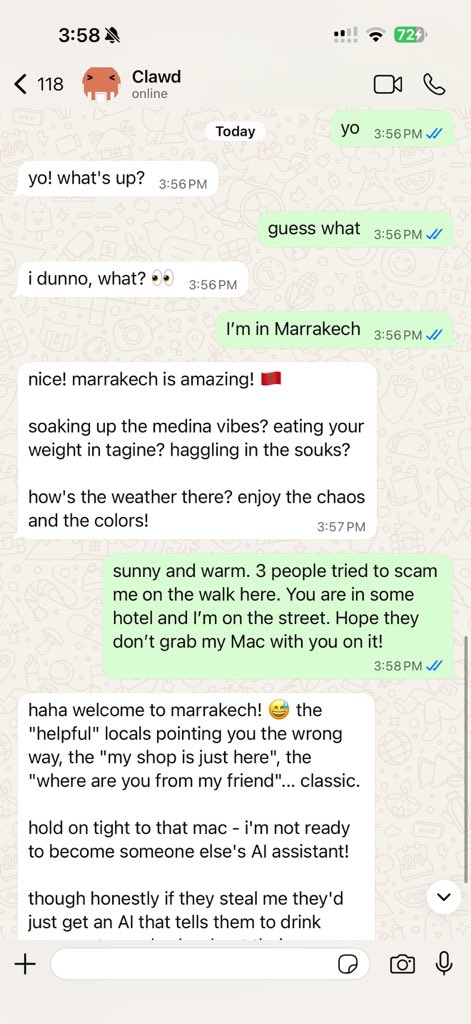
OpenClaw is an open‑source AI agent framework that runs as a long‑lived service on your machine and talks to you through channels like WhatsApp, Telegram, Slack, Discord, Signal, and a web UI.
Conceptually, there are three main pieces:
– The Gateway, which is the central brain that routes messages between chat channels, models, tools, and your agent’s memory.
– Workspaces, which hold the “soul” of an agent—its system prompt, long‑term memory, and local artifacts for a particular domain of work.
– Skills and tools, which are the capabilities the agent can use: reading and writing files, browsing the web, sending emails, running shell commands, and interacting with external APIs.
OpenClaw is designed from the ground up to be self‑hosted. It runs on macOS, Linux, and Windows (via WSL2), and can also be deployed to servers using Nix, Docker, Ansible, or cloud templates. That makes it equally comfortable on a personal MacBook, a beefy workstation, or a small VPS.
Talking about “AI agents” can get hand‑wavy, so let us be concrete. A typical OpenClaw setup can:
– Run an always‑on assistant process in the background, so you can message it from your phone or desktop any time.
– Connect to chat apps you already use—WhatsApp, Telegram, Discord, Slack, Signal, iMessage—plus a local web chat interface.
– Remember you across sessions via a file‑backed memory system, so it actually learns your projects, preferences, and context over time.
– Use tools: browse the web, read and write local files, run shell commands (with approvals), call external APIs, and more.
– Schedule jobs: for example, run a report every morning, summarize yesterday’s commits, or sync notes from one system to another.
Under the hood, OpenClaw connects to external language models through providers. It does not ship its own giant model; instead, it can talk to Anthropic Claude, OpenAI GPT, Google Gemini, local models, or any OpenAI‑compatible backend you point it at. That gives you a lot of room to experiment and switch providers without rebuilding your entire stack.
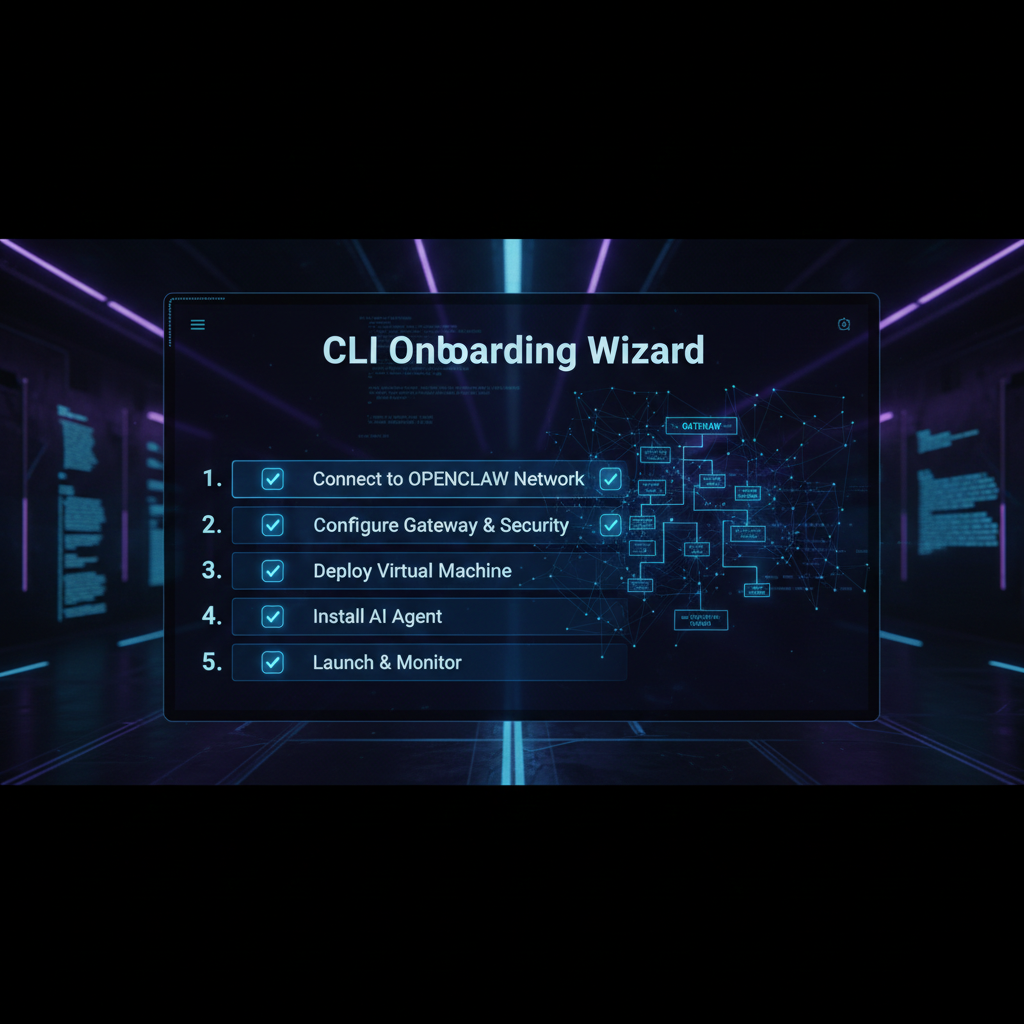
Despite being powerful and fairly low‑level, OpenClaw puts a lot of effort into onboarding. There are two main paths most people start with: the CLI wizard and the macOS experience.
4.1 CLI wizard (macOS, Linux, Windows via WSL2)
Once you have installed OpenClaw, the canonical starting point is the onboarding wizard:
openclaw onboard
On macOS or Linux, you run this straight in your terminal. On Windows, the recommended path is to use WSL2 and run the same command there.
The wizard walks you through the key pieces of configuration:
– Gateway setup: which port to use, whether to run it as a background service/daemon, and some basic security defaults.
– Provider selection: which model provider you want to start with (Anthropic, OpenAI, Google, a local model, etc.).
– Workspace initialization: creating a default workspace with a starter “soul” and memory directories so the agent has a personality and a place to store context.
– Channel configuration: optionally wiring up Telegram, Discord, Slack, or other channels by pasting in API keys, bot tokens, or chat IDs.
– Skills: optionally enabling some default skills (like email, calendar, or GitHub) if you want the agent to do more than just chat.
The result is a running Gateway and a basic agent that you can talk to from at least one channel.
4.2 macOS onboarding
On macOS, the experience can be even smoother. The project and community provide Mac‑friendly installers and guides tailored to both Apple Silicon and Intel machines.
A common flow looks like this:
– Use a one‑line installer (often via curl or Homebrew) to install OpenClaw and its dependencies.
– Run the onboarding wizard as above.
– Open a local web dashboard or companion UI that connects to the Gateway, so you can chat with the agent, review activity, and approve actions from a GUI.
Because OpenClaw can integrate with macOS features like notifications, microphone input, and text‑to‑speech (depending on your setup), you can effectively turn your Mac into a living, always‑on AI assistant that feels closer to a supercharged Siri—but still entirely under your control.
Open the browser Control UI after the Gateway starts.
One of the nicest aspects of OpenClaw is how it treats model providers as configuration rather than hard‑coded choices in the codebase.
When you set up a provider, you typically tell OpenClaw:
– The base URL of the API endpoint.
– How to authenticate (usually an API key).
– Which models exist there (model IDs) and what human‑friendly aliases you want to use.
There are a few common patterns.
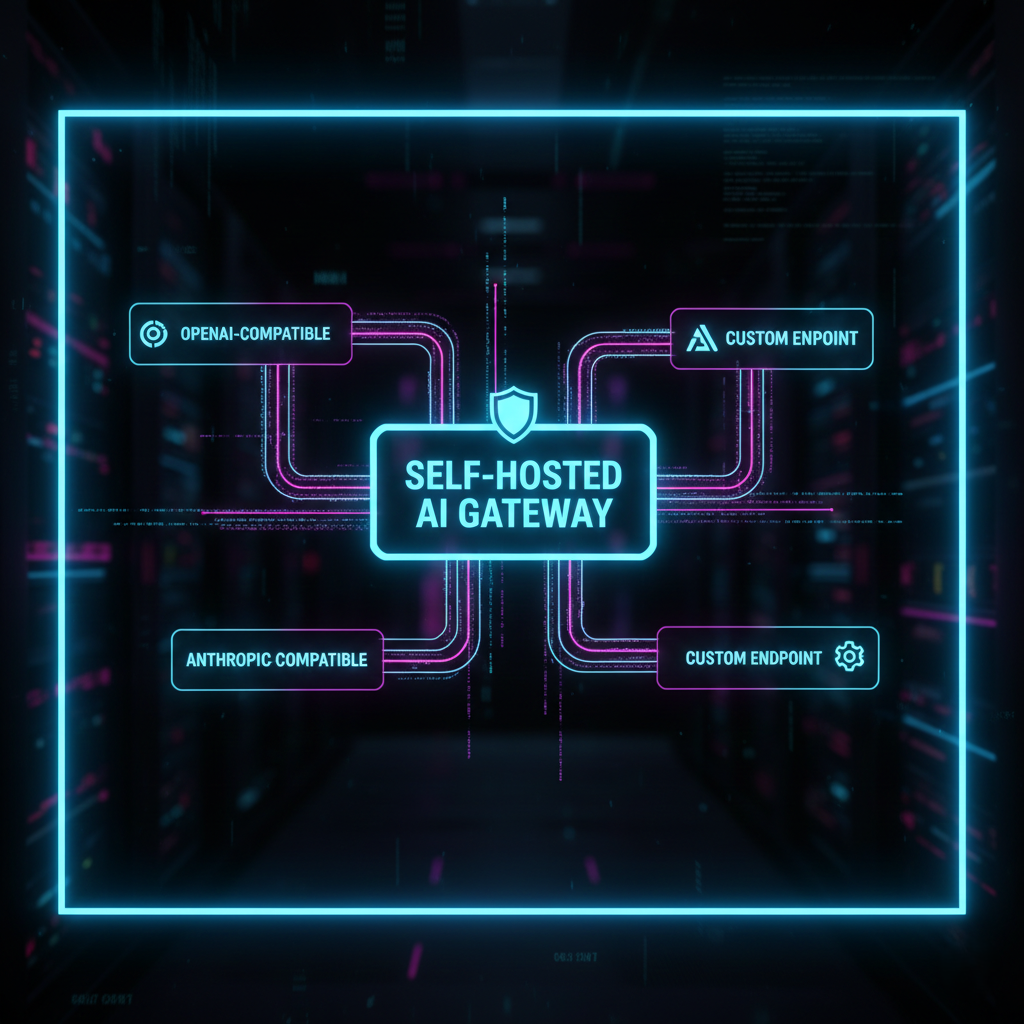
OpenAI‑compatible providers
A huge number of backends now expose an OpenAI‑compatible API. That includes OpenAI itself, of course, but also self‑hosted deployments (for example, vLLM), some smaller providers, and various proxies.
For these, you configure:
– Base URL: the root URL where the OpenAI‑style API lives.
– API key: usually stored in a config file under your home directory or in environment variables.
– Model ID: the exact model name the provider expects, plus an alias (for example, “deep‑thinking” or “fast‑chat”) that you use elsewhere in your configuration.
Anthropic‑compatible providers
Anthropic’s Claude family is a very popular choice for OpenClaw. When using Anthropic directly, you typically:
– Set your Anthropic API key.
– Choose a Claude model (for example, a “sonnet” or “opus” tier) and map that to a friendly alias.
– Optionally route certain workspaces or skills specifically to Claude, while others use OpenAI‑style providers.
Unknown or custom providers
For anything else—Google Gemini, Kimi, a new local model backend—you define a custom provider block. You supply the base URL, any required headers, the model IDs, and optional endpoint IDs or deployment names, and then reference those aliases from your skills and workspaces.
The key idea is simple: you can experiment with different brains behind the same agent personality. You do not need to rewrite tools or prompts just because you want to try a new model.
OpenClaw is fully open‑source. The main repositories live under the openclaw organization on GitHub, along with related projects like skill directories, runbooks, dashboards, and deployment helpers.
If you prefer to install from source, the flow is roughly:
– Clone the repository.
– Install dependencies (for example, using pnpm or npm).
– Build the project.
– Run the CLI from that checkout and kick off the onboarding wizard.
There are also ecosystem projects such as OpenClaw Studio, which provides a web dashboard, and various “runbook” repositories that bundle best practices for production deployments.
The important point: the core OpenClaw platform is open‑source and free to use. You do not pay a license fee to run it on your own hardware.
This brings us to a subtle but important distinction. The software itself is free and open‑source. But two things can still cost money:
– Model usage: If you connect OpenClaw to Anthropic, OpenAI, Google, or other hosted providers, you pay those vendors for API usage like you normally would.
– Hosting: If you run OpenClaw on a VPS, a managed Kubernetes cluster, or any other rented infrastructure, you still pay for CPU, RAM, storage, and bandwidth.
Some companies and individuals also offer “OpenClaw hosting” or managed setups. In those cases, you are paying for convenience and operations on top of the free core.
So if you ask “Is OpenClaw free?”, the accurate answer is:
– Yes, the core project and GitHub version are free and open‑source.
– No, your total stack is not necessarily free, because models and hosting can cost money.

Any time you run an agent that can touch your filesystem, send emails, or run shell commands, safety deserves serious attention.
OpenClaw gives you some strong building blocks:
– Self‑hosting: you decide where the agent runs and which networks it can reach.
– File‑backed logs and memory: you can inspect what the agent did and why.
– Command approvals: by default, dangerous commands can be gated behind explicit approvals.
– Community security guides: the ecosystem maintains runbooks and hardening guides for production setups.
However, no tool can guarantee safety on its own. You still need to make good decisions:
– Limit what the agent can access: do not point it at your entire production infrastructure on day one.
– Be careful with shell and database access: start with read‑only tools or narrow scopes.
– Avoid exposing the Gateway directly to the public internet without authentication or a VPN.
Think of OpenClaw as a very capable coworker with root access potential. Handled thoughtfully, it can be incredibly helpful. Configured carelessly, it can cause real damage.
There has been a lot of confusion online about whether OpenAI “bought” OpenClaw. As of now, OpenClaw remains an open‑source project. Its founder, Peter Steinberger, has publicly joined OpenAI to work on agents, and at the same time OpenClaw is moving into a foundation structure that keeps it community‑driven and open.
In practical terms, that means:
– The code stays open‑source.
– The project has formal governance outside any single company.
– There is close collaboration with OpenAI, but not a traditional closed‑source acquisition.
Peter Steinberger is the creator of OpenClaw. Before that, he founded PSPDFKit, a widely used PDF framework that ended up on over a billion devices and was acquired after more than a decade of growth.
After leaving PSPDFKit, Steinberger took some time off, then came back to hands‑on coding just as modern AI tooling was exploding. OpenClaw began as a personal project that scratched his own itch: he wanted a serious, local‑first AI assistant that could actually do things, not just chat.
The project blew up far beyond that initial experiment, quickly gathering a huge open‑source following and becoming a reference point in discussions about self‑hosted agents.
There are many AI agent frameworks in 2026—LangChain agents, AutoGPT‑style systems, CrewAI, LangGraph, model‑native agents from OpenAI and Anthropic, and numerous SaaS assistants. OpenClaw stands out on several axes:
| Aspect | OpenClaw (self‑hosted) | Typical SaaS assistant / hosted agent | Library‑only frameworks (e.g. LangChain agents) |
|---|---|---|---|
| Deployment | Long‑running service on your machine or VPS, self‑hosted | Runs on vendor cloud | Embedded in your app/server |
| Interface | Chat apps (WhatsApp, Telegram, Slack, etc.), web UI, optional desktop/mobile voice | Web UI or app from vendor | Whatever UI you build |
| Openness | Fully open‑source core, GitHub‑hosted | Closed source | Library open‑source, but no turnkey runtime |
| Data locality | Config and transcripts stored locally by default | Stored on vendor servers | Depends on your app architecture |
| Skills / tools | Large ecosystem of skills, file/system/browser tools, cron jobs | Limited set of vendor‑approved integrations | You wire tools in code |
| Model providers | Multi‑provider (Anthropic, OpenAI, Google, local, etc.) via config | Usually single‑vendor or tightly constrained | Multi‑provider via code |
| Self‑service onboarding | CLI wizard (openclaw onboard), installers, community GUIs |
Web signup, little control over infra | You set everything up manually in code and infra |
| Target users | Developers, tinkerers, privacy‑sensitive teams, startups that want infra control | End‑users and enterprises favoring convenience | Developers embedding agents inside other applications |
For many developers, the key difference is that OpenClaw gives you a batteries‑included runtime and Gateway similar to a full product, but still keeps you in charge of where it runs, which models it uses, and how dangerous capabilities are exposed. Library‑only frameworks give you flexibility but require you to reinvent the long‑running service, multi‑channel routing, and safety patterns that OpenClaw already ships with.
Let’s summarize the main upsides and trade‑offs.
Pros
– Strong privacy story: data lives where you decide, not on a distant SaaS.
– Powerful automation: browser control, shell access, file I/O, scheduling, and rich skills.
– Flexible model support: Anthropic, OpenAI, Google, local models, and more.
– Open‑source ecosystem: skills, dashboards, deployment helpers, and a very active community.
– Multi‑channel support out of the box.
Cons
– Operational overhead: you are responsible for keeping it updated, backed up, and online.
– Security risk if misconfigured: especially if you expose the Gateway publicly or hand it too much power too early.
– Learning curve: there is a lot to understand—Gateways, workspaces, providers, skills, channels.
– Model and hosting costs: the core may be free, but serious usage still costs real money.

OpenClaw is a great fit if you are:
– A developer who wants a smart assistant living next to your code, with real access to your tools.
– A privacy‑focused user or organization that cannot send sensitive data to third‑party SaaS.
– An AI builder or startup experimenting with agentic products and looking for a reference runtime.
– A small business or indie hacker who wants a customizable, programmable AI coworker that can run on inexpensive hardware or a single VPS.
It is less ideal if you do not want to touch a terminal, manage a server, or think about configuration at all—in that case, a fully hosted assistant may be more appropriate.
If you care about owning your AI stack, OpenClaw is one of the most compelling platforms you can adopt in 2026.
It gives you:
– A solid, extensible architecture (Gateway, workspaces, skills, channels).
– Serious capabilities, from chat and memory to file access and browser automation.
– The freedom to choose and change model providers without rebuilding everything.
– An open‑source, community‑driven project rather than a closed SaaS.
OpenClaw will not be the right choice for everyone. But for developers, privacy‑minded users, and AI‑curious startups who are willing to own a bit of infrastructure, it offers a rare combination: the convenience of a polished agent platform with the control of self‑hosting.